
Seven courses in a sensible order for people who want AI to take repeated tasks off their plate, from no-code assistants to n8n workflows.
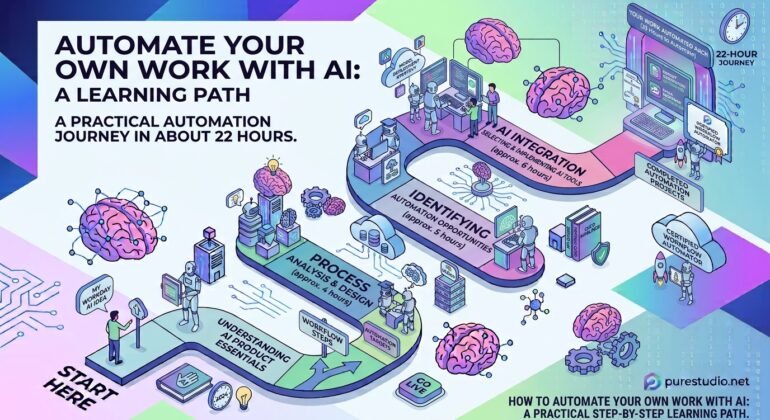
Learning AI pays off fastest when it gives time back. This path is for people who want to automate their own repeated work, and it takes about 22 hours across seven courses. It assumes you already know the basics of how assistants work, so a general introduction to AI is a good thing to finish first.
Start with an assistant that works on your files
CLAUDE COWORK MASTERCLASS for Professional+Claude AI No Code takes about three and a half hours and uses no code. It teaches you to think in outcomes rather than prompts, and it spends real time on permissions and folder access, which is the part that most often blocks beginners. Claude Cowork – AI Agents & Workflow Automation then fills in the mechanics: permission modes, writing outcome-based tasks, persistent memory, creating your own skills, and driving the browser from Cowork.
Learn the plumbing once
Next comes The Complete Model Context Protocol (MCP) Masterclass, about five hours. MCP (Model Context Protocol) is the standard that connects assistants to outside tools and data, and it sits behind most connectors. Learning it once means later tools stop feeling like separate skills.
Add a workflow tool
Do not begin with a seven-hour course on n8n. The Complete Beginner s Guide to N8N takes about 45 minutes and gives you the vocabulary: nodes, triggers and webhooks. After that, Complete N8N and AI Automation Masterclass goes deep, with importable workflow code alongside nearly every video. It includes a section on Human-in-the-Loop (HITL) approvals, which is what separates a demo from something you would leave running unattended.
Make it last
From AI User to AI Operator Operationalizing AI at Work is under an hour and covers the step many people skip: deploy, monitor, scale and control. It explains why automations that work in testing can quietly fail in production. Finish with Claude Code Fast-Track – Solve Anything, Automate Everything, a project-by-project course that builds things such as an auto-posting video pipeline, a website with payments and a lead scraper, and connects n8n workflows through MCP.
How to use the path
You do not have to take all seven in one go. The first two give you a working assistant. The next three make you able to build connected workflows. The last two are about reliability and real projects. Take one project from your own week, automate it end to end, and only then move on to the next course.
Courses mentioned
- CLAUDE COWORK MASTERCLASS for Professional+Claude AI No CodePrompting & LLMs · Intermediate
- Claude Cowork – AI Agents & Workflow AutomationAutomation · Intermediate
- The Complete Model Context Protocol (MCP) MasterclassAI Coding · Intermediate
- The Complete Beginner s Guide to N8NAutomation · Beginner
- Complete N8N and AI Automation MasterclassAutomation · Intermediate
- From AI User to AI Operator Operationalizing AI at WorkBusiness & Roles · Beginner
- Claude Code Fast-Track – Solve Anything, Automate EverythingAI Coding · Intermediate
Related terms
- MCP (Model Context Protocol)An open standard for connecting AI applications to tools and data sources, so one integration works with any c
- Human-in-the-Loop (HITL)Designing an AI system so a person reviews, approves or corrects its work at key points before consequences ha
- Workflow AutomationConnecting apps so tasks run automatically when something happens, such as a new order, email or form submissi