
One course surveys five AI coding tools including Antigravity and Cursor; the other focuses on Cursor alone. Hours, lessons and how to choose.
AI coding editors share a lot of vocabulary: chat modes, inline completions, project rules, agents. Two beginner courses in the library teach that vocabulary from different angles. One is a broad survey of five tools with Google Antigravity first, the other is a short crash course on Cursor. Here are the facts and how to choose.
At a glance
| Google Antigravity for Beginners AI Coding Crash Course | Cursor AI for Beginners – AI Coding Crash Course | |
|---|---|---|
| Level | Beginner | Beginner |
| Length | About 12.4 hours | About 1.7 hours |
| Lessons | 117 | 18 |
| Hands-on lessons | 10 | 0 |
| Tools covered | Antigravity, GitHub Copilot, Cursor, Windsurf, ChatGPT | Cursor |
| Added to the library | 9 June 2026 | 26 December 2025 |
The five-tool survey
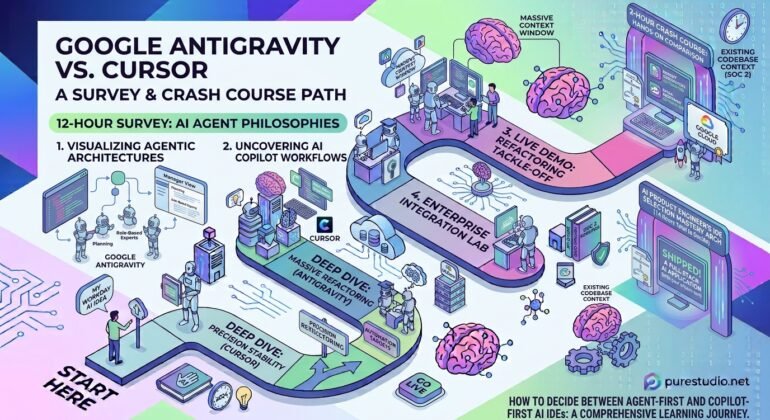
Google Antigravity for Beginners AI Coding Crash Course begins with Antigravity: what it is, its plans and models, its telemetry and data privacy settings, and then the editor itself, including its Agent side panel, a fast mode and a planning mode. A section on prompt engineering follows. After that the course repeats a similar pattern for GitHub Copilot (where it builds a calculator app), Cursor (a currency converter app, with indexing, rules and memory), Windsurf and ChatGPT.
The repetition is useful if you are choosing between tools: the same questions are asked of each, namely the chat modes, how context is managed and, for most of the tools, what the plans cost. It does mean there is a lot of material, and the Cursor part is only one section of it.
The Cursor crash course
Cursor AI for Beginners – AI Coding Crash Course goes through Cursor’s three main ways of working, Ask, Manual and Agent mode, plus tab completions, inline chat in the editor and terminal, and using chat context well. It also explains Cursor’s models, plans and usage limits. It has no hands-on lessons, so it is best treated as a guided tour to follow along with your own project. It is the right size for a first look at Agentic Coding in an editor.
How to choose
- Choose the Cursor crash course if you have already picked Cursor, or want to find out in under two hours whether an AI editor suits you.
- Choose the survey if you have not picked a tool and want to compare several on the same footing, or if you want to follow longer builds.
- Take the crash course first, then the survey if you want to start fast and compare later. The Cursor material in the two courses overlaps, so the survey’s Cursor section will feel familiar.
The two are not substitutes in scope. One answers how to use Cursor; the other answers which tool to use and how each one works.
Courses mentioned
- Google Antigravity for Beginners AI Coding Crash CourseAI Coding · Beginner
- Cursor AI for Beginners – AI Coding Crash CourseAI Coding · Beginner
Related terms
- Agentic CodingDelegating programming tasks to an AI agent that reads the codebase, plans, edits files, runs commands and tes