
A plain explanation of agentic coding: what a coding agent does, where it helps, where it goes wrong, and which courses teach it.
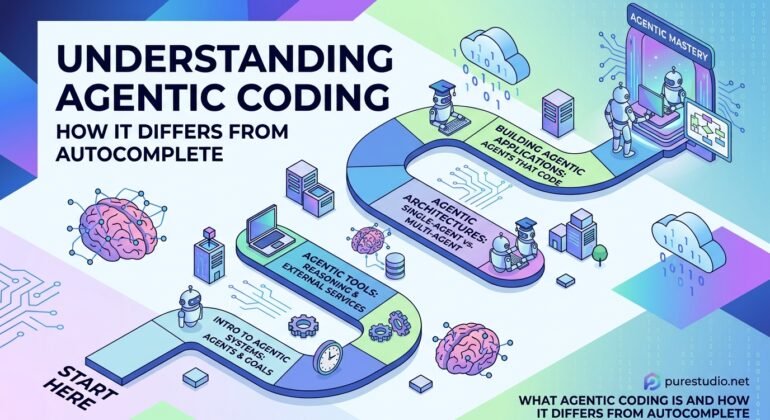
Most people met AI in their editor as a suggestion box: you type, grey text appears, you press Tab. That is AI Code Completion, and it is useful, but it is a different thing from what people now call Agentic Coding.
What an agent does that a suggestion box does not
A coding agent takes a task rather than a cursor position. You describe the goal, and the agent reads through the project, makes a plan, edits several files, runs the build and the tests, reads the errors that come back, and tries again. It keeps going until the task looks done or it needs your approval for something risky.
A fair comparison is handing a ticket to a capable junior developer. You do not watch every keystroke. You set the goal and the limits, then you review what comes back, usually as a diff.
That shift changes where your attention goes. With completion you review one line at a time, immediately. With an agent you review a finished piece of work, so the quality of the review matters far more than the speed of the typing.
Where it works well and where it does not
Agents do best on tasks that have a clear finish line: a feature with tests, a bug with a reproducible failure, a migration that touches many similar files. They do worst when the request is vague, because they will produce something plausible that solves a slightly different problem.
This is why three habits keep showing up in courses on the subject:
- Write down what you want first. Spec-Driven Development means putting the requirements, edge cases and acceptance criteria in a short document before the agent starts. The spec then doubles as the checklist for your review.
- Give the agent standing instructions. A Project Rules File, such as a CLAUDE.md or AGENTS.md file, tells the agent how to build and test the project and what never to do. It is read at the start of every session, so keep it short and current.
- Limit what it can touch. Sandboxing runs the agent in an isolated environment, so a bad command cannot reach real data or credentials. Most tools also ask for approval before risky actions.
There is also the opposite approach, Vibe Coding: describing an app, running it, pasting back any errors, and never reading the code. That is fine for a throwaway prototype or a personal tool. It is a poor fit once real customers or real data are involved, because nobody understands the code if something goes wrong.
Courses that teach it
Three courses in the library approach agentic coding from different angles.
Mastering Claude Code Build AI-Power Development Workflows is the gentlest start. It opens with a lesson on what makes coding agentic, then alternates lectures and labs while building a small e-commerce application, beginning with a requirements exercise before any code is generated.
Agentic Engineering Build Reliable Software with AI Coding is longer, at about five and a half hours, and is built around one project, a budgeting app. Its stress is on inspecting what the agent did before accepting it, which is the skill that separates agentic coding from vibe coding.
Claude Developer Certification Complete Exam Prep Course is the deepest of the three. It treats Claude Code as one part of a wider developer curriculum and covers how the agent loop works, the permission modes, and where a human should approve a step.
If you only remember one idea, make it this: an agent multiplies output, but only when your tests, your spec and your review are good enough to catch what it gets wrong.